Tilda website localization: reach an international audience without a second website
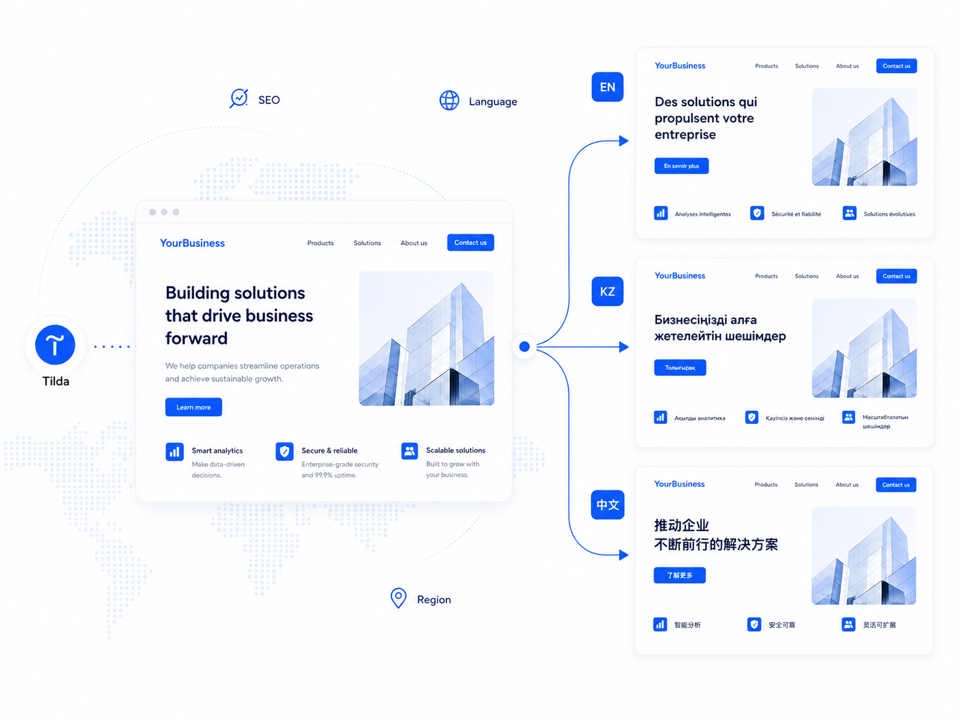
An existing Tilda business website can be adapted for audiences in other countries without creating and maintaining separate language websites.
-
 Quality Translation
 - Easy Maintenance
Translation tailored to the language and your business
For each project, you can choose a model, terminology, and translation style — and fine-tune the result after launch.
Model for a specific language
Context and terminology

Tone of voice
Adjustments after launch
No need to create a prompt yourself
Tell us about your company and translation preferences in a convenient format: message, document, or voice. We will transfer the requirements to Multify's settings ourselves.
Noticed an inaccuracy in the demo? The translation can be fine-tuned: change the model, clarify the context, add a rule, or correct a specific fragment.
How Multify Works with Your Existing Website
Your website remains on Tilda and is not recreated on Multify's side. You continue to edit and publish content there, and Multify receives the current version of the page and provides the visitor with the localized version.
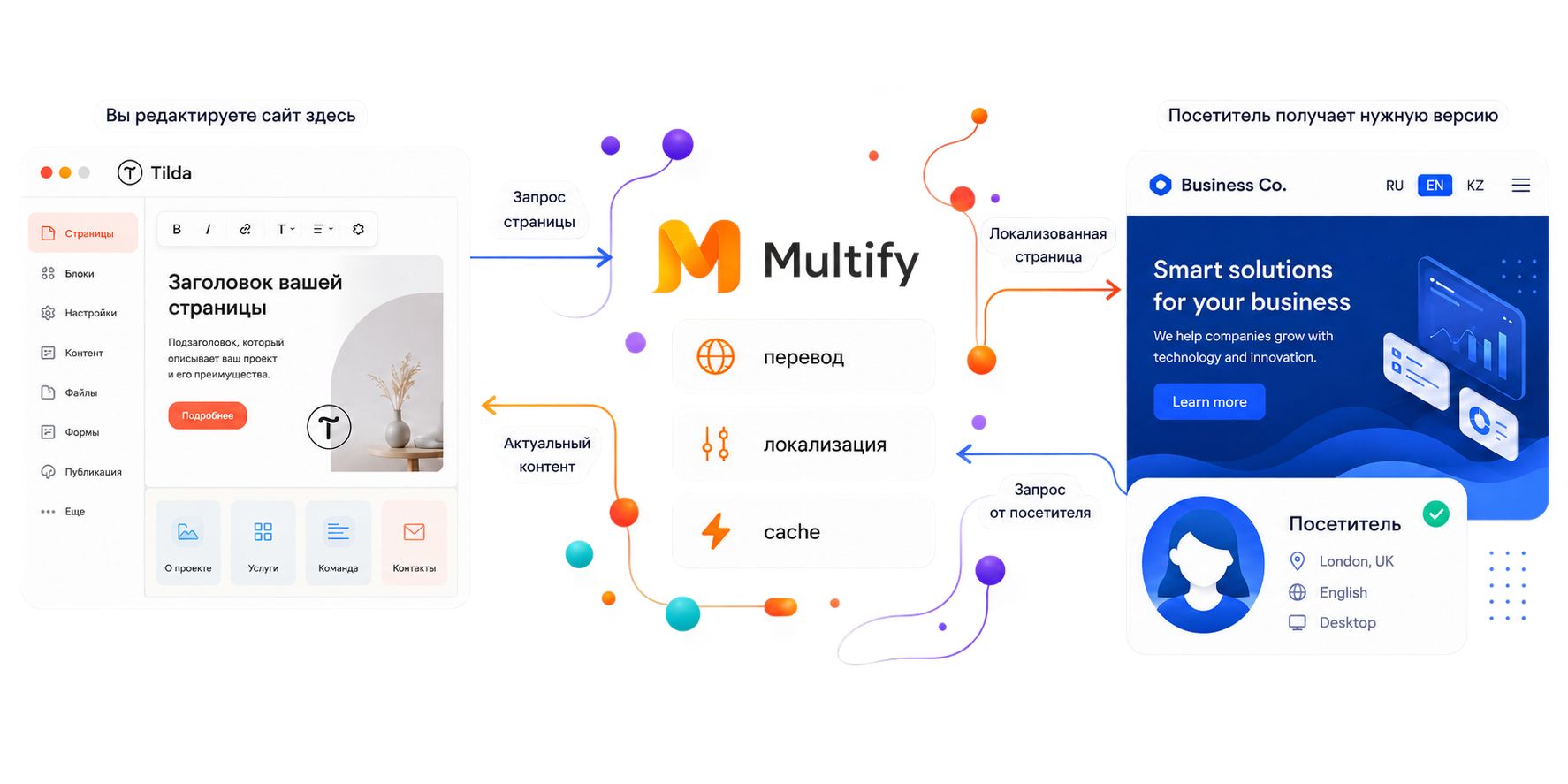
Multify works as a reverse proxy and is located between the visitor and the original website. The project itself does not move from Tilda. It remains the source of pages, products, and changes. Multify receives the published content, processes it, and provides the visitor with the desired language version.
- The website remains on Tilda
- Content is picked up from the original website
- Repeated requests are cached

Connection via DNS
To connect, the domain's web record is changed. The website itself remains on Tilda, and a standard DNS update may take some time.
Forms continue to work
Data from forms and orders is passed on to the original system. Multify is not used as a separate CRM or a separate storage for applications.

Availability is monitored
The operation of connected sites is monitored by technical monitoring.
How a visitor gets to the desired language version
3 ways a visitor can access the translated versions of your website.

Direct link or advertisement
If an advertisement, email, or external link leads to a specific URL, the visitor immediately opens the corresponding language version.
For example:
site.ru/en/site.ru/kz/
Language Menu
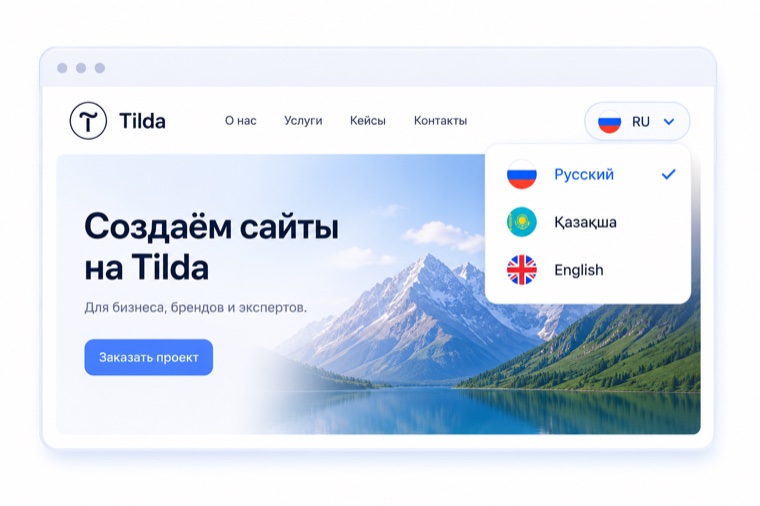
The visitor can switch the language in the language menu, if it is added to the website.
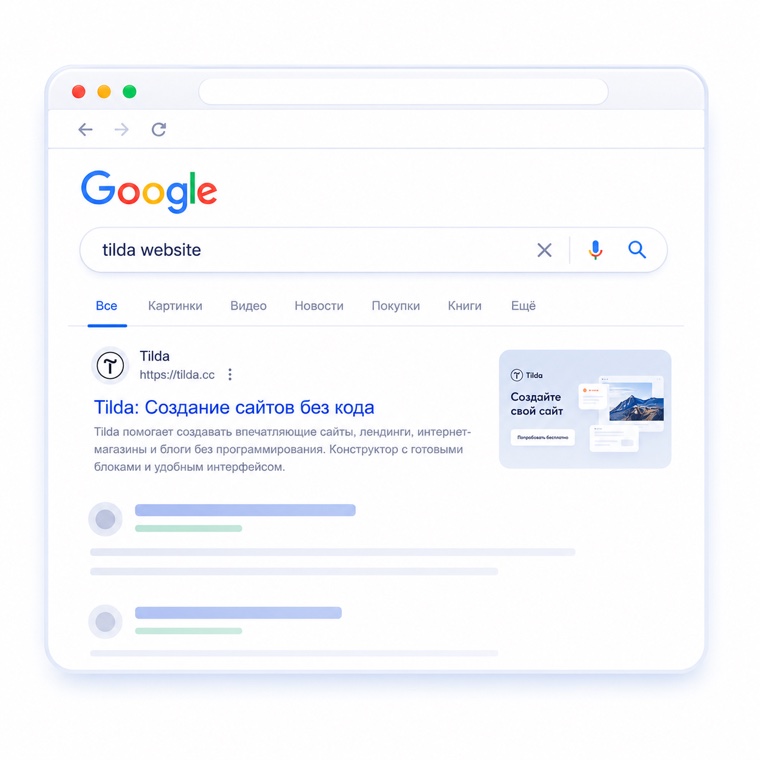
Search Results
Language or regional versions of the site are indexed by search engines and can appear in search results for relevant queries.
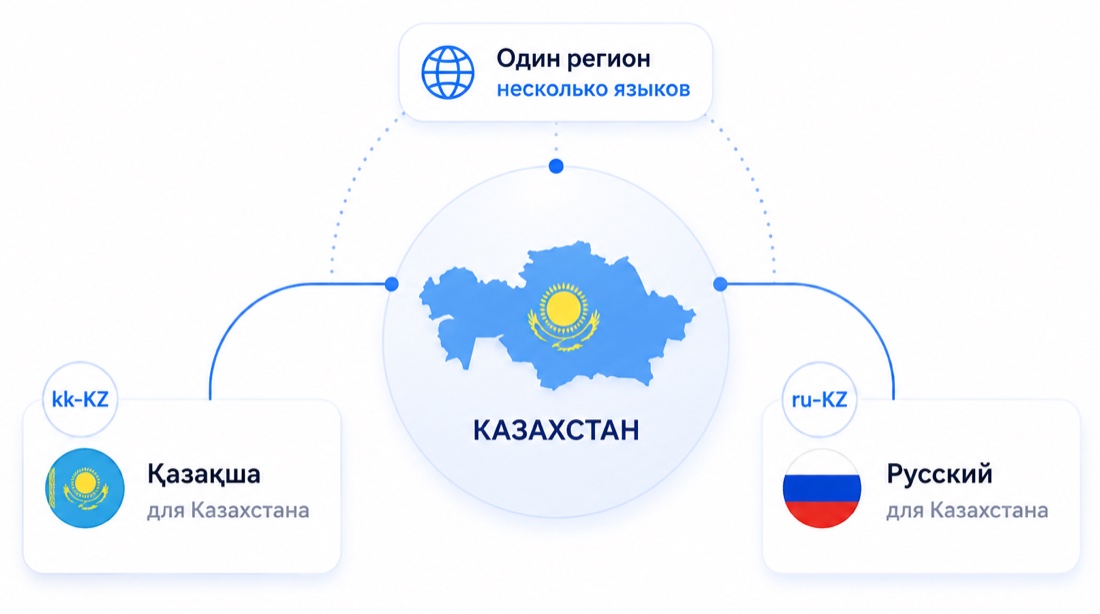
One Region — Multiple Languages
For multilingual countries, one regional version of the site may not be enough. For example, for Kazakhstan, separate versions can be created for Kazakh-speaking and Russian-speaking audiences, and search engines can be specified the language and region of each of them.
This data is transmitted to search engines via hreflang and helps them understand which language and region each page version is intended for.
Options for Organizing Language Versions
 Subfolder
site.ru/en/site.ru/kz/
 Subdomain
en.site.rukz.site.ru
 Separate Domain
site.comsite.kz
The subfolder option of the main domain is most often used, but the structure depends on the project's task.

Translating a Website is Not Enough
For localized pages to participate in search, it's not enough to translate the content — language and regional versions also need to be correctly linked. Multify forms a correct structure for them: indexable URLs, hreflang, sitemap, and metadata. Based on this data, the search engine understands what language the page is written in, which region it is intended for, and what other versions of the same page exist, and can show a more suitable version depending on the query language and user's region.
Indexable URLs | hreflang | sitemap | metadata
Real case
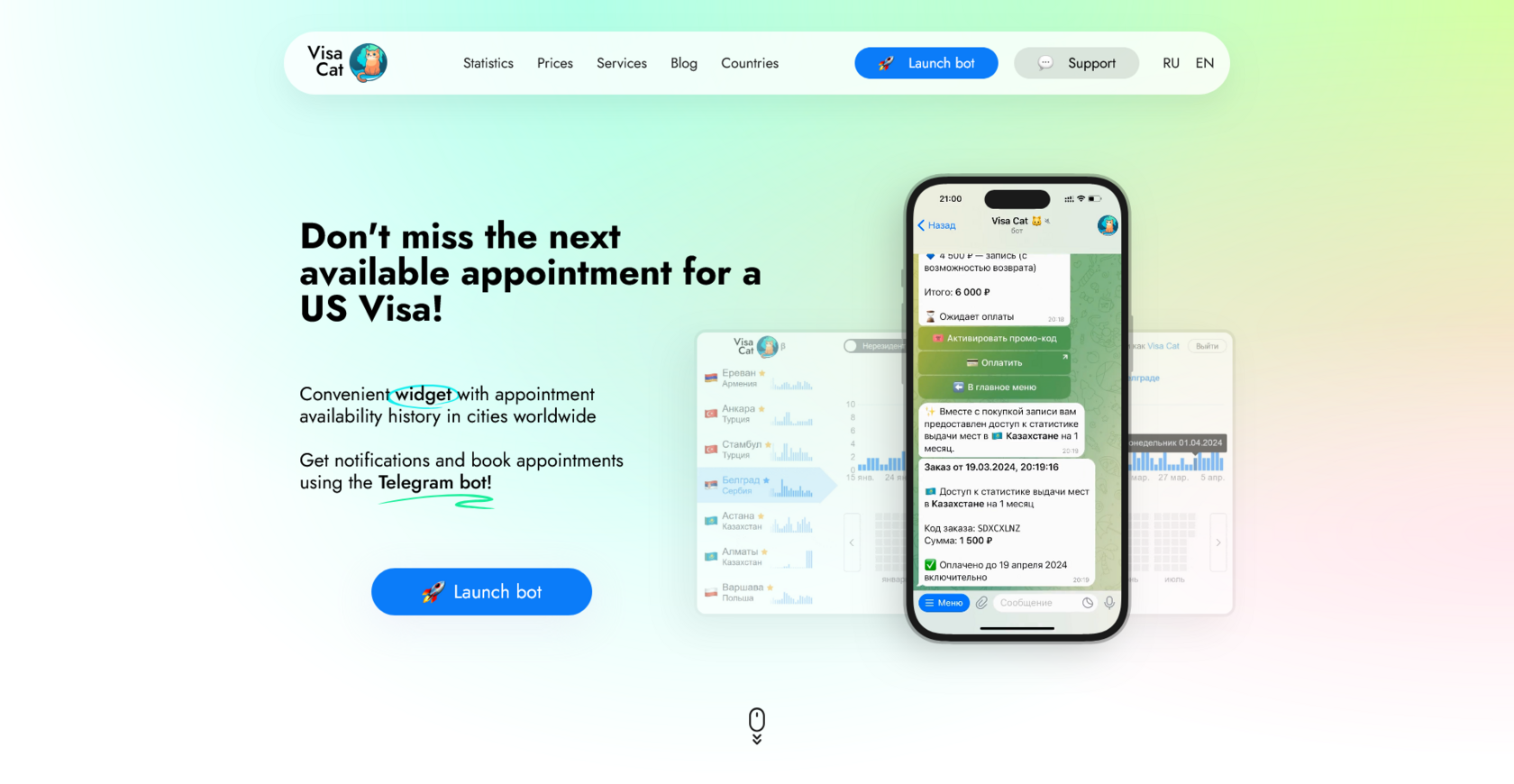
Visa Cat: +30% traffic from Google after connecting the English version
Visa Cat is a service for booking US tourist visas with a website and blog on Tilda. The website was only in Russian, although the topic is inherently interesting to an international audience.
- Task
- Open an existing website to an international audience without creating a separate language copy.
- What was done
- Connected the English version via Multify: separate URLs, hreflang, and an updated sitemap.
- Result
- The website started receiving impressions and clicks for English queries. The recorded result: +30% traffic from Google.


Results depend on the niche, content, and competitive environment.
Connection and Subscription Cost
Multify requires setup for each project. The basic connection cost is $58 for all plans except Light.
Lite
For landing pages
$117 / year
Payment is made annually. Connection is included in the price.
Standard
For informational websites
from $28 / month *
For multi-page websites without additional functionality.
Business
For catalogs and online stores
from $42 / month *
For websites with a product catalog, shopping cart, or online payment.
Individual
For large and non-standard projects
Price on request
The cost is determined individually, taking into account the specifics of the tasks.
* When paying for 3 months — 5% discount | 6 months — 10% discount | 12 months — 2 months free 🎁
Frequently Asked Questions
We answer the most frequently asked questions before connecting.
Is Multify a hosting service? Where is my website located after connection?
No, Multify is not a hosting service. Your website remains on Tilda, and you continue to edit it there. Multify stands between the website and the visitor and displays the required language version.
What happens to DNS upon connection?
Only one DNS record of the domain is changed, not the entire domain. This is a standard operation usually performed by someone with access to the domain's control panel.
Will the connection affect the domain's email?
No, if only the record needed for Multify is changed. The risk to email arises only when the entire DNS zone is fully transferred to another service — this is a separate, more extensive scenario, not our case.
Does Multify have an SLA?
There is currently no separate client SLA with guaranteed uptime. However, the availability of connected websites is monitored.
Can I manually correct a translation?
Yes — send us a specific phrase, page, or element, and we will make a targeted correction. There is no separate panel for self-editing translations yet.
How is text within images translated?
Normal text translation on a page does not affect text within images. If this is important, you can provide a localized version of the image — Multify will display it in the corresponding language version.
How are language versions updated after changes on the website?
Automatically. The source remains in Tilda: Multify automatically picks up text edits and new pages — there's no need to manually reassemble language versions. Due to caching, the update may take some time.
How does a visitor get to the correct language version?
Via a direct link (e.g., site.ru/en/) — directly to it. Via a language switcher on the website — the visitor chooses the version themselves. From search — each version is indexed separately, and hreflang markup tells the search engine which version to show to which users.
Is it possible to have multiple language versions for one country?
Yes. Language and region are not the same: for example, for Kazakhstan, you can set up a separate Kazakh version and a separate Russian version.
How long does the connection take?
The exact timeframe depends on the website's volume — we clarify it at the first meeting to avoid guessing a number.
Does the number of languages affect the cost?
Yes, but not proportionally — the price does not grow linearly with each new language. We send the exact tariff grid individually after a briefing.
Demo on Your Website
Leave your website address, and we will prepare a demo version in the desired language even before connection.