
International Tilda online store: languages and currencies
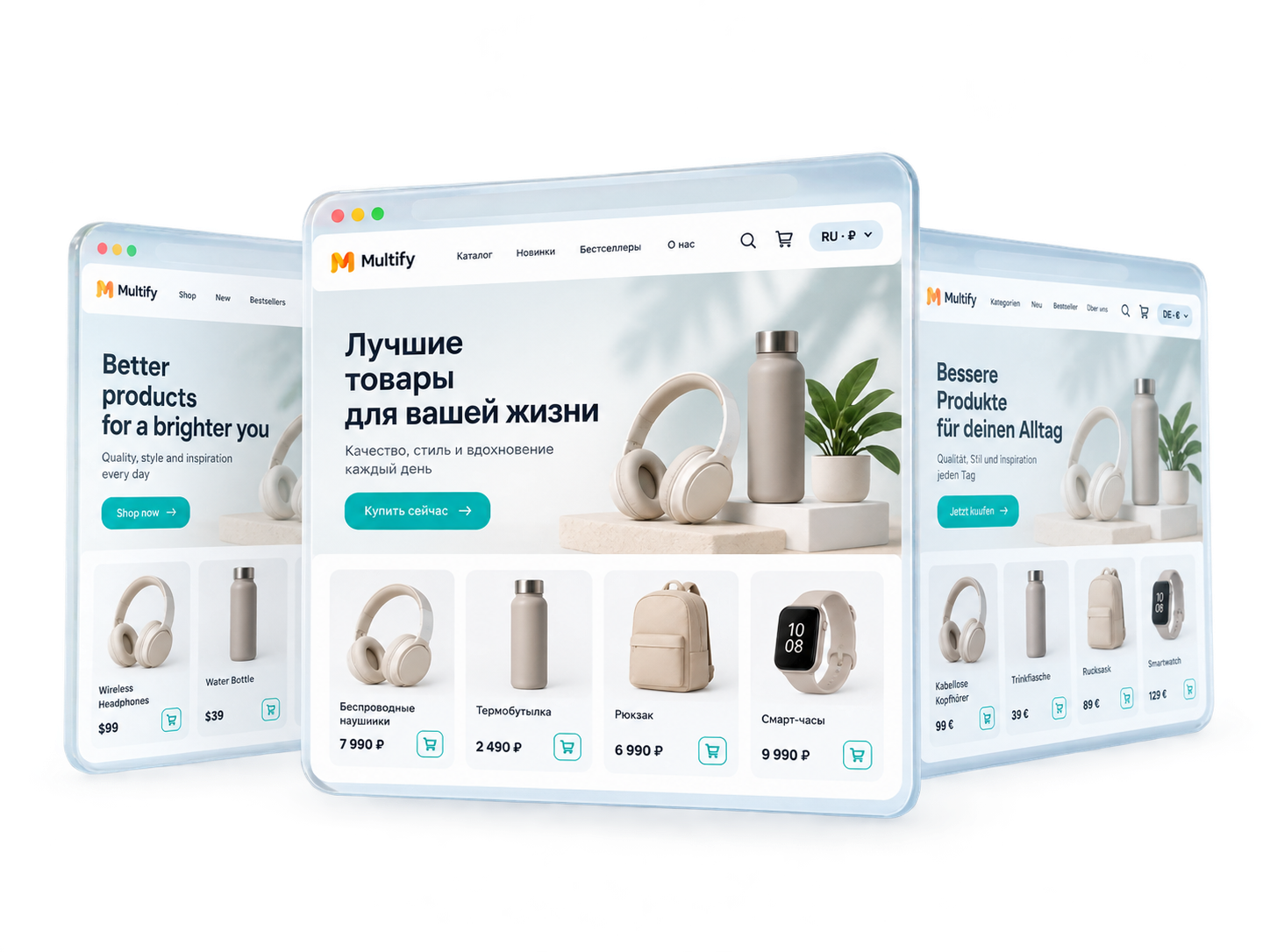
Translate your store's catalog and interface, display prices in the desired currency, and work with customers from different countries without creating separate copies of the site.
-
 Local prices and payment methods
 - Catalog updates automatically
One Store for Buyers from Different Countries
A single catalog in Tilda instead of a copy of the store for each market: no need to manually synchronize products and prices between versions.
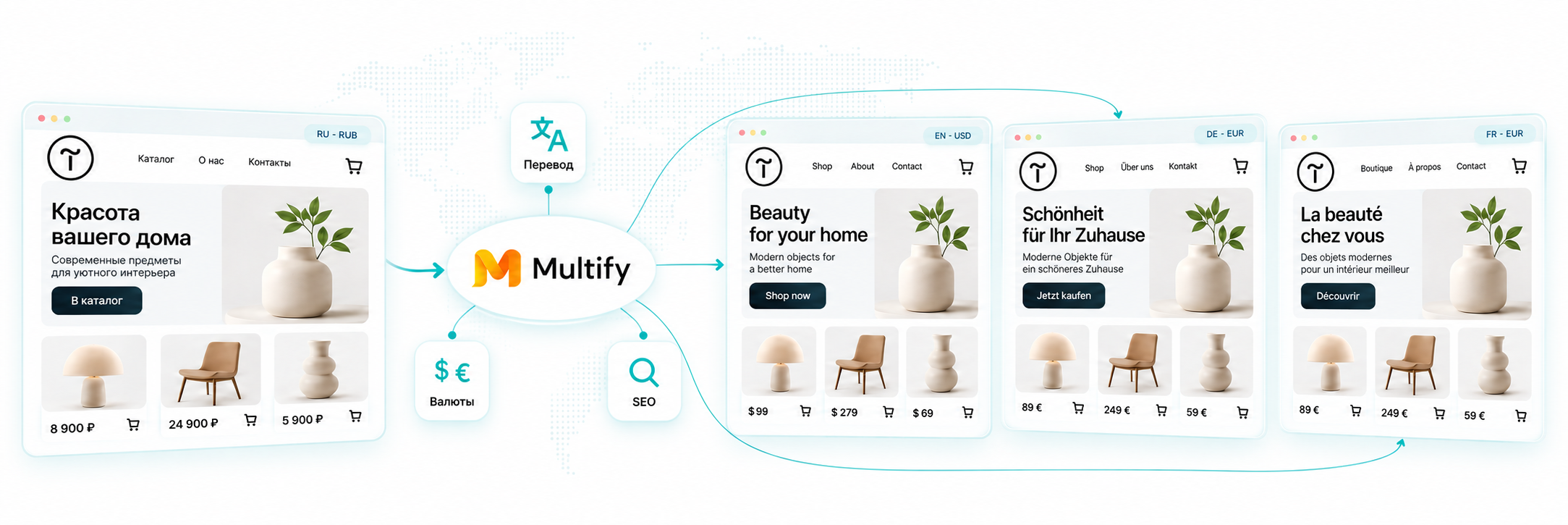
A separate store for each country means a separate catalog, separate prices, and separate synchronization with every change, and this quickly turns into constant manual work. Multify maintains one catalog and one original structure in Tilda: a product, category, or price is changed in the usual way in the Tilda admin panel, and the changes are automatically translated in the language versions.
- One catalog instead of a copy for each country
- Customer sees their language and currency
- Products and prices do not need to be manually synchronized
Catalog and Product Translation
Multify translates not only website pages but also all e-commerce content: product cards, categories, cart, and order forms.
Products and Categories
Names, descriptions, and catalog categories.
Specifications and Filters
Attributes, filter values, and product card specifications.
Cart and Order
Cart buttons and elements, such as “Total,” are translated into any language, not just the built-in Tilda list.
Forms
Form fields, buttons, and error messages.
Service Labels
Catalog elements that Tilda itself does not translate, such as “in stock” and “out of stock.”
SEO Data
Indexable URLs, hreflang, sitemap, and metadata for product cards.
What happens when products and the website change
Added a product, changed the price or description in Tilda: changes are picked up automatically. There is no need to manually reassemble the catalog by language versions.
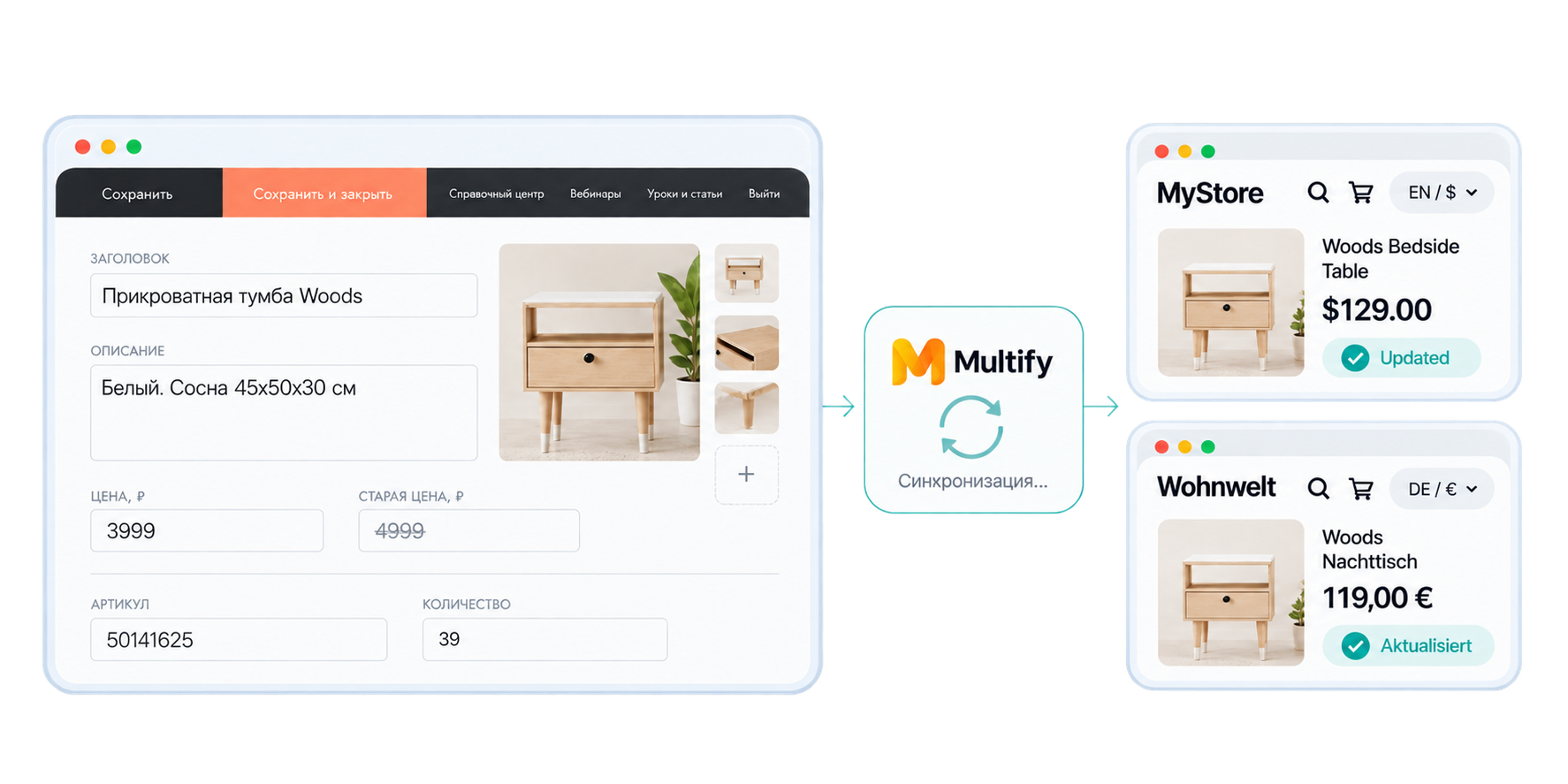
Tilda remains the source of the catalog and pages. Multify automatically picks up new products, changed prices, or descriptions and updates the language versions, so there is no need to go into each one and repeat the edits.
- The source remains in Tilda
- Language versions are updated automatically
- Cache is updated with a slight delay
Prices and Currencies
92% of buyers expect to see the price in their currency, and every third person abandons the cart if they see the price in a foreign currency.
Multify recalculates the price on the server before the page reaches the browser: Google and the buyer see the same amount, not a "blinking" amount after the JS conversion widget loads.
Live currency exchange rate
Manually specified rate
Currency format
Price rounding
Source: Capital One Shopping study on cross-border purchases.
Payment and delivery in different markets
Multify displays delivery cost in the currency of the desired store version: it converts the original price or substitutes a manually specified rate.

Manual delivery
If delivery in Tilda is configured manually with a fixed price, Multify can either automatically convert this price to the currency of the store version, or display a separate manually specified rate that you set for this currency.

Delivery via Integration
If delivery is connected via integration, for example SDEK, the cost comes dynamically from the service and is converted to the required currency. Payment methods are still configured in Tilda as usual: Multify does not change them.

Price Check in Tilda
By default, Tilda checks the price in the order form against the price in the catalog. Multify disables this check because the price has already been converted to the version's currency. Otherwise, the order would be blocked due to a perceived discrepancy.
SEO for Store Language Versions
Language pages for catalogs and product cards are indexed as independent pages, with hreflang and separate meta tags: this means organic traffic, not just conversion from advertising.
Translating the catalog is not enough
For category and product pages to be included in search results, language versions must also be correctly linked to each other. Multify generates indexable URLs, hreflang, sitemap, and metadata for them: based on this data, the search engine understands what language the page is in and for which region it is intended.
Indexable URLs | hreflang | sitemap | metadata
Currency Conversion
If the currency is only recalculated in the browser via JavaScript, the search engine still sees the original price in the microdata (schema.org/Product), which distorts the snippet and cards in Google Shopping. Multify recalculates the price on the server, so the structured data always matches what the buyer sees.
Real case
Arcane Warrior: online store version for Kazakhstan in Russian and Kazakh
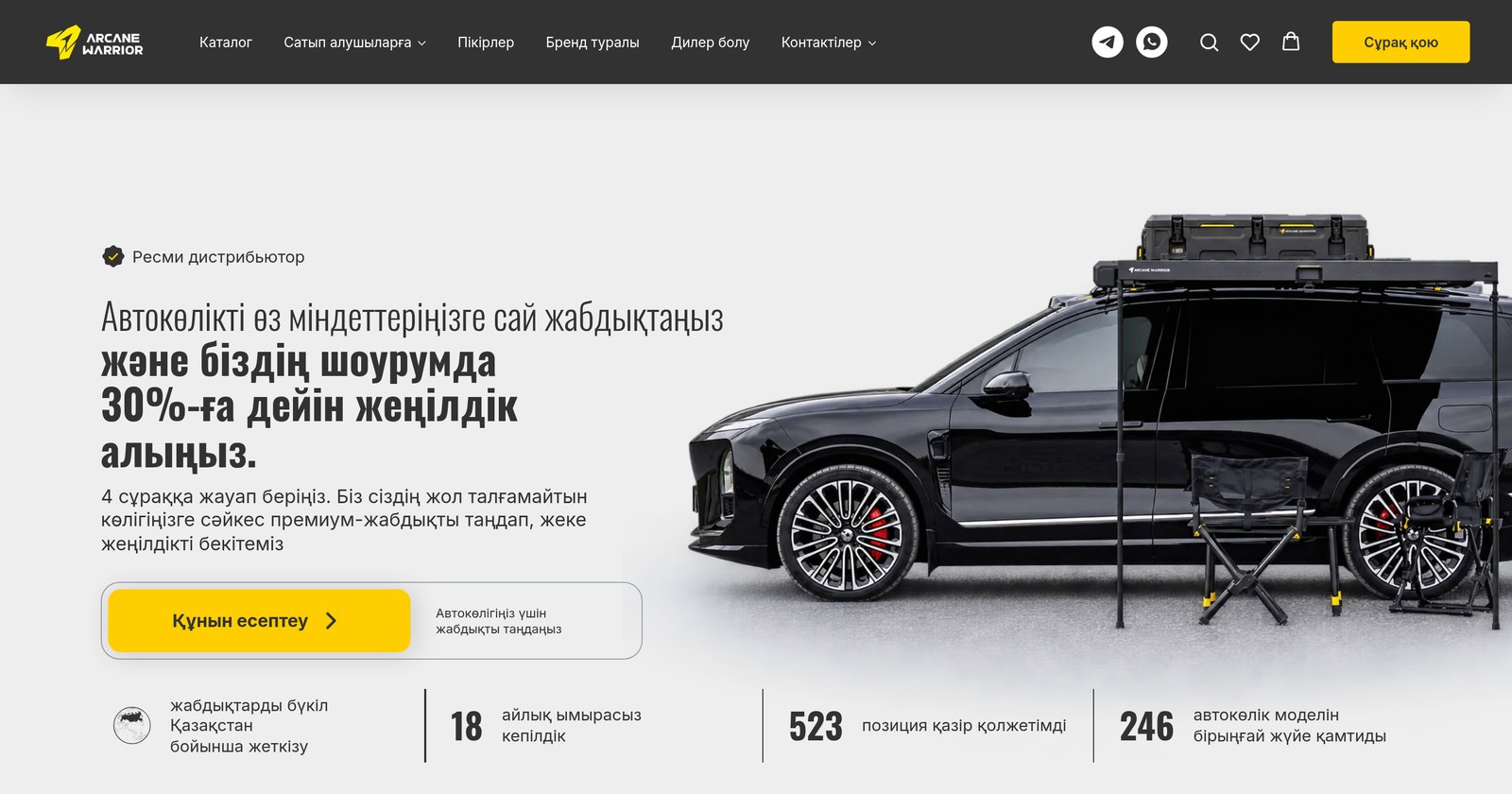
Arcane Warrior is the official distributor of an expedition equipment brand for off-road vehicles, an online store made on Tilda. The company entered the Kazakhstan market and needed a separate version of the website.
- Task
- Launch a store version on a Kazakhstan domain with local contacts, prices in tenge, and translation into Kazakh, without creating a copy of the Tilda website.
- What was done
- Connected both domains to Multify: translated the catalog, cart, and search, displayed prices in tenge at a manually specified rate, and separated the header and footer for the two countries.
- Result
- One Tilda website serves two domains and three versions. New products, prices, and promotions are added once. More than 1000 people visit the website daily.



Pricing
The basic connection cost is $58. The subscription cost for an online store depends on the number of products and pages on the site, and the number of languages or currencies.
Business
For catalogs and online stores
from $42 / month *
For websites with a product catalog, shopping cart, or online payment.
Individual
For large and non-standard projects
Price on request
The cost is determined individually, taking into account the specifics of the tasks.
* When paying for 3 months — 5% discount | 6 months — 10% discount | 12 months — 2 months free 🎁
Frequently Asked Questions
We answer the questions most frequently asked by online store owners before connecting.
What happens after adding a product or changing a price?
Multify automatically picks up published changes from the Tilda catalog. A new product appears in language versions and is translated, and the price is recalculated according to the configured rules. Due to caching, the update may appear with a slight delay.
Is it possible to correct the translation of individual products?
Yes. You can correct the name, description, or a specific wording, as well as set general rules and terminology for the catalog. Send us a link to the product and the desired option, and we will make the adjustment.
Is it possible to set your own rate, format, and price rounding?
Yes. For the project, you can configure the currency, conversion rate, price display format, and rounding rules.
Will the cart, forms, and orders continue to work?
Yes. Multify localizes the interface of the cart and forms, and order and application data continues to be transmitted to Tilda and its connected systems.
Is it visible from which language version an order came?
Yes. The domain of the site from which it was sent is automatically added to each application: you always know the language, currency, and source of a specific order.
Are order confirmation emails translated?
No, not automatically: Tilda sends them directly, bypassing Multify. Multify transmits the language and domain from which the order came in the application data, and based on this, localized emails can be configured through external automation, for example, n8n or Make.
How is the shipping cost displayed in another currency?
Shipping rules and costs are still set in Tilda or the connected delivery service. The display of the amount in another currency depends on the payment method used; we check this scenario on a demo and configure it for a specific store.
Is Multify suitable for a large catalog?
Yes. Products and changes are picked up from a single Tilda catalog, so there is no need to create and manually update copies of it. For a large catalog, we first conduct a demo and assess the volume, structure, and traffic of the project.
What determines the cost?
The cost depends on the size of the website and catalog, traffic, number of languages, and complexity of regional settings. Based on the initial data, we provide an estimated cost, and the exact amount is given after checking and setting up the demo.