Add Languages and Currencies to Client Projects on Tilda
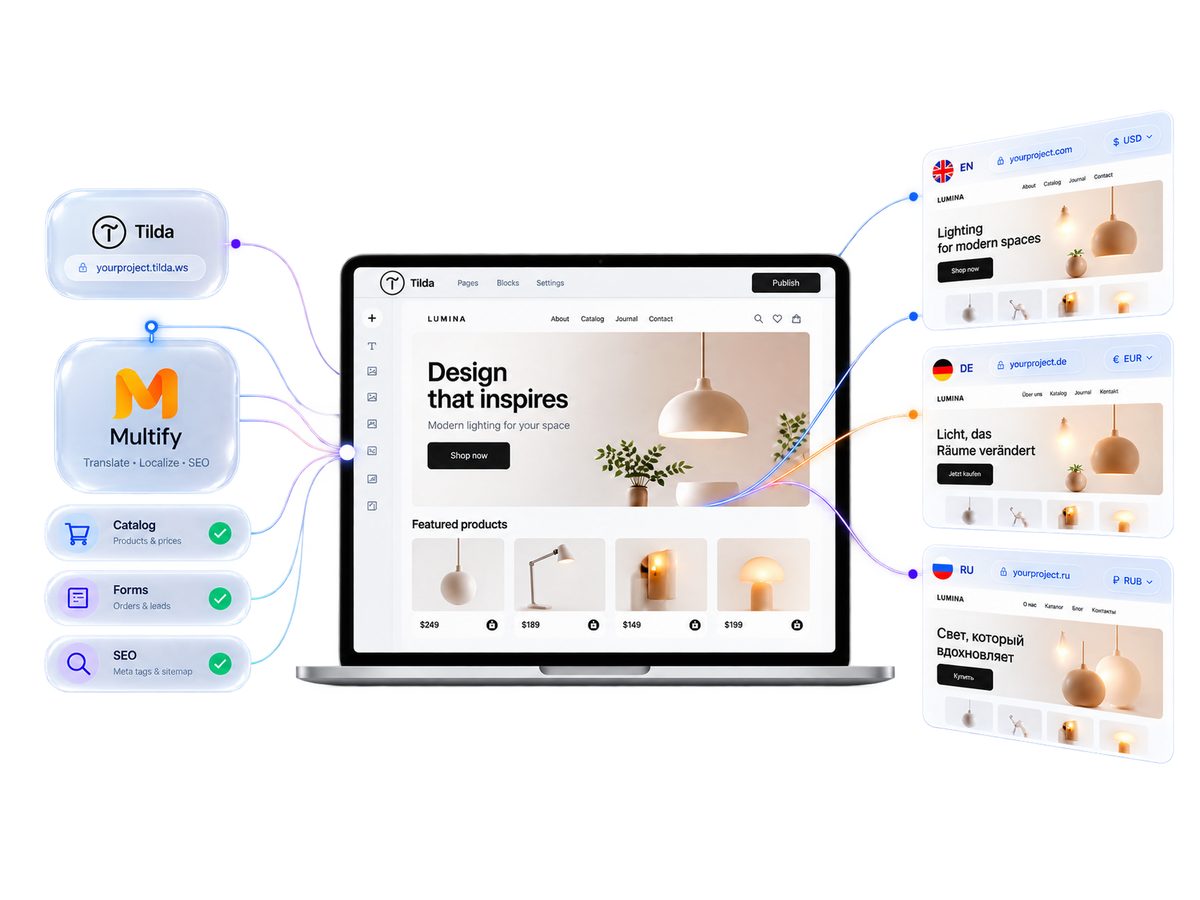
Developing a multilingual website on Tilda: Multify translates the entire client project, including the catalog and forms, which universal services on Tilda do not cover.
-
 Blog, forms, catalog are translated
 - Without copying pages and SEO drop
What Multify Translates in Tilda
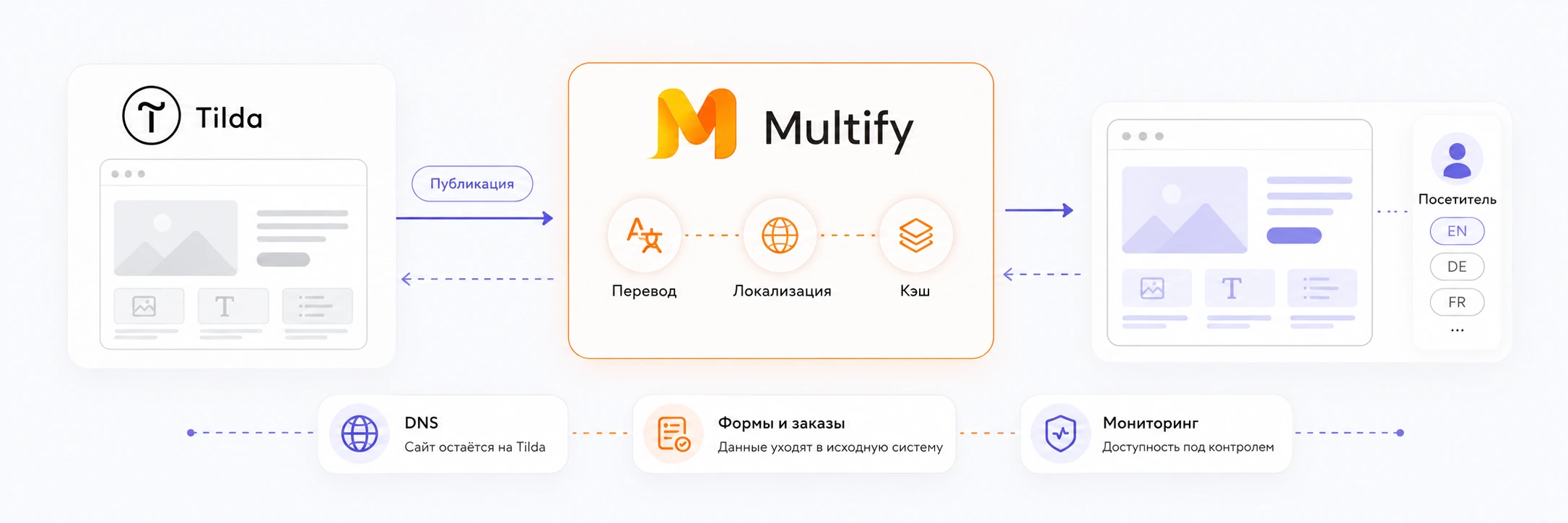
In Tilda, some content appears in the browser not with the main page, but is loaded after it — this is how the catalog, forms, cart, and article feed work.
Universal translation services usually process the page earlier, so they manage to translate static content, but do not see elements that Tilda adds later. As a result, dynamic blocks may remain in the original language. We checked this on universal services.
- Changes in Tilda are picked up automatically
- All language versions remain linked to one original project
Multify translates the entire Tilda website, including dynamic content
Catalog and Product Cards
Names, descriptions, and content of product cards
Filters and Characteristics
Attributes, characteristics, and filter values
Forms
Fields, buttons, phone with country code, and error messages
Cart
Cart interface and checkout elements
Blog and Tilda Streams
Articles are translated on the same URLs, without copying pages
Prices and Currencies
Server-side conversion, symbol and format for the region
Service Strings and Pop-ups
Interface elements that Tilda itself does not translate
SEO Structure
Separate indexable URLs, hreflang, sitemap, and metadata
Language Switcher
Switching between language versions of the site
Three ways to make a Tilda website multilingual
Manually
A copy of each page for each language.
- You manually transfer edits and new products to all versions
- Labor costs increase with the number of languages and pages
- Language versions diverge over time
- Duplicate pages harm SEO
Universal Translation Services
The script translates the page directly in the browser.
- Static texts are translated automatically
- They do not see Tilda dynamics (catalog, forms, cart, article feed)
- Suitable for a landing page without a catalog and forms
Multify
Proxy layer on the server side for Tilda structure.
- Translates both static and dynamic content before the page is served
- One original project in Tilda — you edit as usual
- Language versions are updated automatically
- hreflang, sitemap and a separate URL for each version
What you can offer a client with Multify
Briefly for the client: a full-fledged multilingual version of their Tilda website, and for a store, also local prices.
Language Versions
Content Translation

International SEO
Currencies for stores
If the client has an online store
Multify also translates the catalog and connects currencies: customizable rates, formatting, and price rounding for each currency. We cover e-commerce mechanics on a separate page.
10% cashback from client subscriptions
Connect your client's project to Multify and get 10% cashback from their subscription. This works for designers, developers, and agencies. We clarify the terms of accrual and payment individually.
How working with a client project looks like
From the first email to working language versions.
-
Input from you
You send the website address, required languages, volume (pages and products), and estimated traffic (this affects the tariff). Based on this data, we provide an estimated cost.
For large or complex projects, an exact price cannot be given immediately: first, a demo needs to be made and the actual work reviewed. If the estimated cost is acceptable, we prepare a demo.
-
Demo before connection
We provide links to the language versions, and you send them to the client. Tilda access is not needed for the demo.
In the demo, the quality of the translation is primarily assessed. It can be fine-tuned: change the prompt, try a different model for a specific language, set terminology, leave brand names untranslated, add specific replacements.
If the layout shifts somewhere due to translation, this is not the final result at the first demo stage: such things are corrected upon connection.
-
Approval and payment
After setting up the demo, we name the exact subscription cost. If the client is satisfied with the translation quality and price, we agree on the connection and payment.
-
Connection
We perform the setup using temporary access to Tilda (Tilda has guest access for 30 days) or you perform some actions yourself according to our instructions. The order is as follows:
- In Tilda settings, the domain is switched to the Multify system domain.
- The domain owner changes the A-records (root and www) with the registrar so that they point to Multify.
- Notifies us that the records have been changed.
- We check that the new records have already been applied.
- We change the configuration on the Multify side and enable language versions.
- The site starts working through Multify.
While DNS is updating, the site is unavailable for some time: from an hour to several. It is better to connect during quiet hours, at night or on weekends. Multify switches last, when we are sure that the DNS has been updated.
Then the client edits the project in Tilda as usual. Multify picks up the changes, there is no need to manually maintain language versions — edits reach them with a slight cache delay.
How Multify Works with an Existing Site
Multify sits in front of the Tilda website as a reverse proxy and delivers a localized version to the visitor. Below we discuss what this means for connection, URLs, translation, and forms.
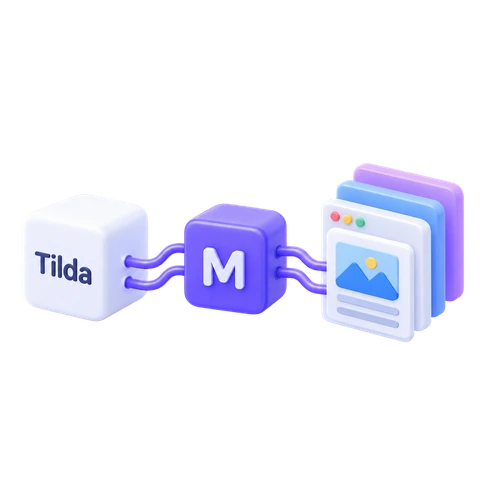
Architecture
Tilda remains the source of truth. Multify acts as a reverse proxy between Tilda and the visitor: it receives the original version of the site, applies translation and regional rules (currency, price and date formats, hreflang), and delivers the ready page. There is caching, so Tilda is not requested every time it is opened. After edits, language versions are updated automatically when the cache is updated.
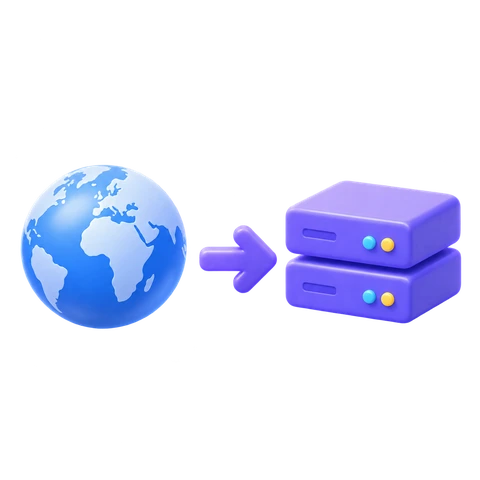
Connection
The domain is "detached" from Tilda and directed to Multify: in Tilda settings, it is switched to Multify's system domain, and at the registrar, A-records (root and www) start pointing to Multify. This is not a DNS zone transfer or a site migration from Tilda; mail records are not affected in a typical scenario. While DNS propagates, the site is temporarily unavailable.
URL and SEO
Language and regional versions get separate indexable URLs: subfolder, subdomain, or separate domain. Multify generates hreflang, sitemap, and meta for them. Language and region are not the same: for example, kk-KZ and ru-KZ.
Translation Setup
Individual translation setup: language, industry, product, audience, terminology, and tone of voice are taken into account. You provide your requirements to the Multify team in a convenient format; no separate integration is needed on your end. Text within images is provided by the client separately in localized form.
Data Processing
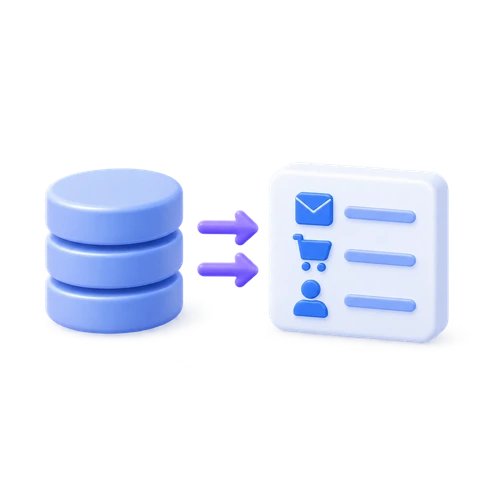
Forms and orders are routed directly to the client's original systems. Multify does not become a CRM and does not require transferring application processing to another system.
How Multify Reverse Proxy Works
Why client-side translation scripts don't work with Tilda, and how the reverse proxy scheme via DNS operates.
Frequently Asked Questions
What is most often asked before connecting a client project.
What determines the cost?
The volume of the site (pages and products) and traffic. The number of languages has little effect on the price; several can be connected at once. We provide an estimated cost based on initial information, and the exact amount after setting up a demo.
Is there a demo before payment?
Yes. We prepare demo versions in the required languages and provide links, which can be shown to the client before connection and payment. Tilda access for the demo is not needed.
How are payments and documents processed?
We work under a contract. The payment format (legal entity, individual entrepreneur, individual) and closing documents are discussed individually.
Is the translated site a copy or the same project?
The same project. Multify stands in front of the site as a proxy and delivers the localized version upon request; no separate copies of pages are created in Tilda.
What are the URLs for language versions?
Subfolder (site.ru/en/), subdomain (en.site.ru), or a separate domain (site.de). This is chosen based on the client's needs.
What happens after website changes and new pages?
Text edits and new pages are automatically added to language versions; there's no need to duplicate anything manually. New pages are also added to the sitemap. Due to caching, the update does not appear immediately.
Will Tilda forms, payments, CRM, and redirects work?
Yes. Forms and orders are transited to the client's original systems (Telegram, CRM, email). Multify additionally localizes form fields and adds a tag to the application indicating which language version it came from.
Will SEO be affected?
No. The translation is rendered on the server side, so the search engine sees the translated page immediately. Multify generates hreflang with x-default, sitemap, and meta for each version.
How are new products in the catalog translated?
Automatically, with the next catalog upload. There is no need to prepare a separate translation for each batch of products.
What if the layout breaks due to translation?
Such places are corrected during connection via Multify configuration on the Tilda side: fragment replacement, hiding a block for a specific version. The first demo is not the final look.
Can I connect it myself or only you?
Both options. We perform the setup with temporary access to Tilda (there is a guest access for 30 days) or you do it according to our instructions. The domain owner changes the A-records with the registrar in any case.
How does the 10% cashback work?
You connect the client's project to Multify and receive 10% cashback from their subscription. The terms of accrual and payment are clarified individually.
Connect Multify to the next client project
It's easier to show the result directly on the client's project than to explain it in words. Leave your address, and we will prepare a demo version even before connection.